As hybrid work, remote offices, and business travel continue to reshape the modern workplace, professionals are placing greater importance on tools that enhance efficiency and comfort. Among the most valuable upgrades to any workstation is a high-quality wireless keyboard. Designed to reduce cable clutter, improve ergonomics, and support seamless multi-device connectivity, today’s wireless keyboards have become essential for everyone from executives and programmers to writers, designers, and digital nomads.
A premium wireless keyboard offers much more than convenience. It contributes to faster typing, improved posture, and a cleaner workspace while allowing professionals to work comfortably from offices, coworking spaces, home offices, or hotel rooms around the world. Whether you’re searching for a compact business keyboard for travel or an ergonomic keyboard for long working hours, understanding the available features can help you make a smarter investment. This guide explores how wireless keyboards improve productivity and what to consider before purchasing one.
Why Wireless Keyboards Are Becoming Workplace Essentials
Technology has made it possible to work efficiently from almost anywhere, but productivity still depends on having the right equipment. While laptop keyboards are convenient, they often limit comfort during extended work sessions.
A dedicated wireless keyboard creates a more ergonomic workspace by allowing users to position their keyboard independently from their screen. This flexibility helps improve posture, reduce wrist strain, and encourage better typing habits.
Some of the biggest advantages include:
- Greater desk organization.
- Improved mobility.
- Reduced cable clutter.
- Flexible device positioning.
- Better typing comfort.
- Easier workstation customization.
These benefits make wireless keyboards a practical investment for both office and remote professionals.
What Is a Wireless Keyboard?
A wireless keyboard is an external keyboard that connects to computers, tablets, or smartphones without requiring a physical cable. Most modern models use Bluetooth or a dedicated USB wireless receiver to establish a reliable connection.
Wireless keyboards are compatible with multiple operating systems, including Windows, macOS, Linux, Android, and iPadOS. Many premium models even allow users to switch between several connected devices with the press of a button.
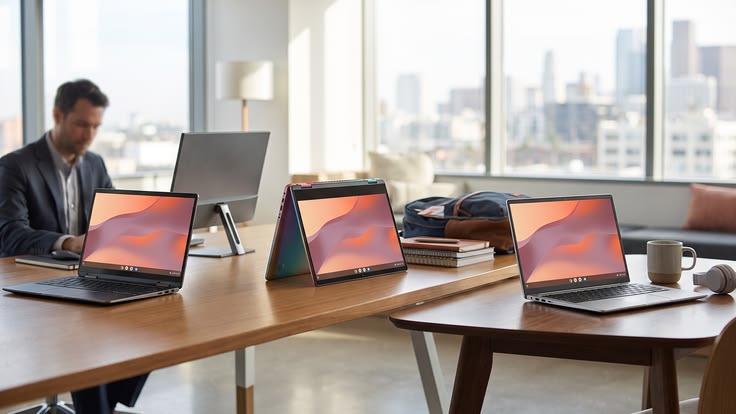
This flexibility makes them particularly valuable for professionals who frequently alternate between laptops, tablets, and desktop computers throughout the workday.
A Business Keyboard Designed for Modern Professionals
A professional business keyboard is designed to support long hours of typing while offering reliability and efficiency.
Unlike entry-level keyboards, business-focused models prioritize durability, quiet operation, responsive keys, and productivity-enhancing shortcut functions. Many also include dedicated multimedia controls and programmable keys that simplify repetitive tasks.
Business professionals benefit from features such as:
- Long battery life.
- Quiet keystrokes.
- Multi-device pairing.
- Compact travel-friendly designs.
- Reliable wireless connectivity.
- Premium build quality.
These capabilities help professionals remain productive whether working in an office or while traveling internationally.
Why an Ergonomic Keyboard Improves Comfort
Extended typing sessions can contribute to wrist discomfort, shoulder tension, and repetitive strain injuries if poor typing posture becomes routine.
An ergonomic keyboard is specifically designed to encourage more natural hand positioning. Some models feature split layouts, curved key arrangements, cushioned wrist rests, or adjustable typing angles that reduce muscle fatigue during prolonged work.
Professionals who spend several hours typing each day often report improved comfort after switching to ergonomic designs. While there may be a short adjustment period, the long-term health benefits often outweigh the initial learning curve.
Bluetooth Keyboard Technology Enhances Flexibility
Modern Bluetooth keyboard technology has made wireless productivity more convenient than ever.
Unlike keyboards that require proprietary receivers, Bluetooth-enabled models connect directly to compatible devices without occupying valuable USB ports. This is especially useful for ultraportable laptops and tablets with limited connectivity.
Bluetooth keyboards also simplify switching between multiple devices. For example, users can type on a laptop, respond to messages on a tablet, and manage a smartphone without reconnecting the keyboard each time.
This versatility makes Bluetooth one of the most practical wireless technologies available today.
Mechanical Keyboard vs. Membrane Keyboard
Many professionals eventually compare wireless mechanical and membrane keyboards before making a purchase.
A mechanical keyboard uses individual mechanical switches beneath each key, delivering tactile feedback, greater durability, and more consistent performance. These keyboards are often preferred by programmers, writers, and gamers who type extensively.
Membrane keyboards, on the other hand, are typically quieter, lighter, and more affordable. They remain popular among office users who prioritize silent operation in shared workspaces.
Choosing between the two depends largely on personal preference, typing style, and workplace environment.

Office Accessories That Complement Wireless Keyboards
A wireless keyboard performs even better when combined with thoughtfully selected office accessories.
Creating a comfortable workspace improves focus while reducing unnecessary physical strain during long work sessions.
Useful accessories include:
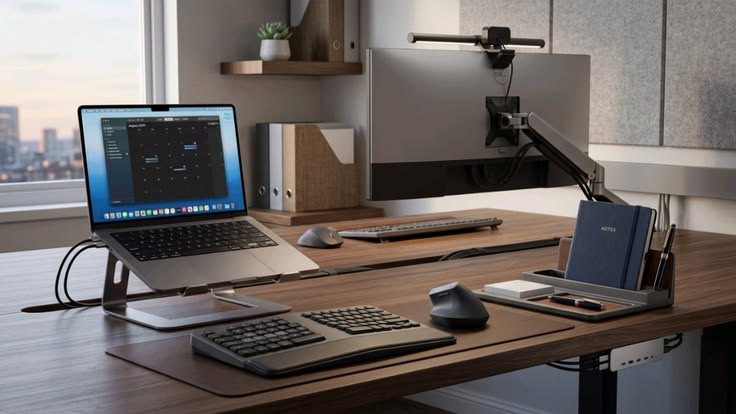
- Adjustable laptop stand.
- Wireless mouse.
- Portable monitor.
- Wrist support.
- USB-C docking station.
- Noise-canceling headphones.
Together, these tools create a professional workstation that supports long-term productivity.
Building the Perfect Work-from-Home Setup
A successful work-from-home setup depends on ergonomics, organization, and minimizing distractions.
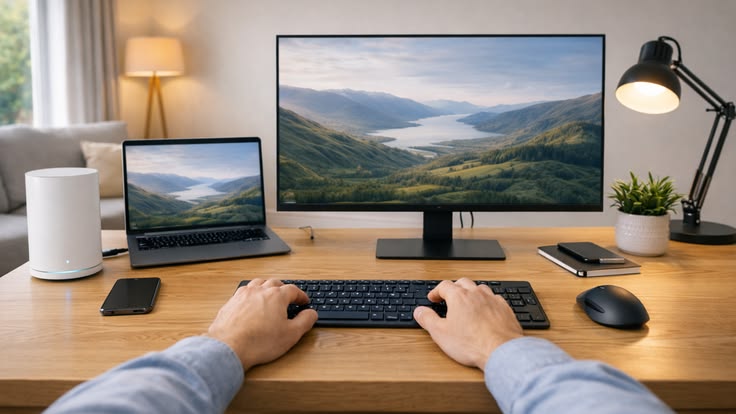
A wireless keyboard allows users to position their monitor at eye level while placing the keyboard at a more comfortable typing height. This simple adjustment improves posture and reduces neck strain caused by constantly looking downward at laptop screens.
Professionals working remotely should also ensure adequate lighting, supportive seating, and an organized desk environment to maximize efficiency throughout the day.
Typing Comfort Leads to Better Productivity
Comfort has a direct impact on workplace performance.
Improved typing comfort allows professionals to work longer with less fatigue while maintaining greater accuracy. Responsive keys, ergonomic layouts, and proper wrist positioning all contribute to a smoother typing experience.
For writers, accountants, software developers, customer support teams, and administrative professionals, even small improvements in typing efficiency can result in meaningful productivity gains over time.
Choosing the Right Wireless Keyboard
Not every keyboard suits every professional. Before making a purchase, consider your primary work requirements.
Evaluate factors such as:
- Keyboard size (full-size or compact).
- Bluetooth or USB receiver connectivity.
- Battery life.
- Ergonomic features.
- Mechanical or membrane switches.
- Multi-device compatibility.
- Build quality and warranty.
Choosing a keyboard that matches your workflow ensures better long-term satisfaction and performance.
Frequently Asked Questions (FAQs)
1. What are the benefits of a wireless keyboard?
A wireless keyboard reduces cable clutter, improves workspace flexibility, supports multiple devices, and enhances productivity for office, remote, and business professionals.
2. Is a Bluetooth keyboard better than a USB wireless keyboard?
A Bluetooth keyboard offers greater compatibility and doesn’t require a USB receiver, while USB wireless keyboards may provide slightly faster connectivity depending on the device and environment.
3. Should professionals choose a mechanical keyboard?
A mechanical keyboard is ideal for professionals who type extensively because it offers tactile feedback, excellent durability, and consistent key performance.
4. What makes an ergonomic keyboard different?
An ergonomic keyboard is designed to reduce wrist strain and improve hand positioning through features such as split layouts, curved key arrangements, adjustable angles, and wrist rests.
5. Can a wireless keyboard improve productivity?
Yes. A quality wireless keyboard improves typing comfort, supports better ergonomics, enables multitasking across multiple devices, and contributes to greater workplace efficiency.
6. Are wireless keyboards suitable for business travel?
Absolutely. Compact business keyboard models are lightweight, portable, and easy to connect to laptops or tablets, making them ideal companions for professionals who travel frequently.
Conclusion
Investing in a high-quality wireless keyboard is one of the simplest yet most effective ways to improve workplace productivity and comfort. Whether you choose a compact business keyboard for travel, an advanced Bluetooth keyboard for multi-device workflows, or an ergonomic keyboard designed for long typing sessions, the right keyboard can significantly enhance your daily work experience.
Combined with thoughtful office accessories, a comfortable work-from-home setup, and reliable productivity tools, a wireless keyboard creates a more organized, efficient, and ergonomic workspace. As remote work and flexible business environments continue to evolve worldwide, selecting the right keyboard is a practical investment that supports both professional performance and long-term well-being.