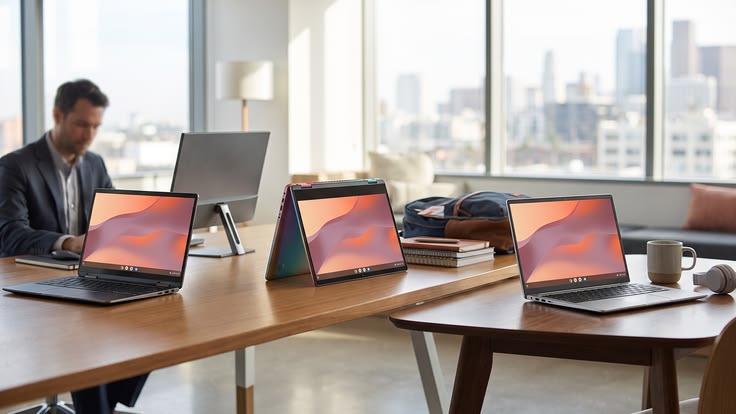
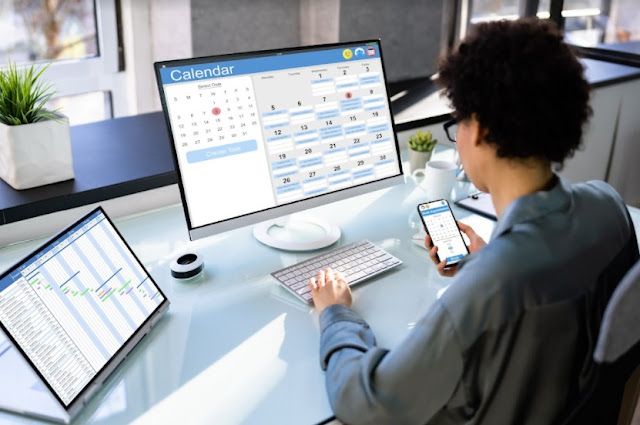
The modern workplace is no longer limited to traditional office desks. Today, professionals work from airports, hotels, coworking spaces, cafés, and home offices across the globe. While laptops offer excellent mobility, limited screen space can reduce efficiency, especially for multitasking. This is where a portable monitor becomes an essential productivity tool. Lightweight, compact, and easy to carry, these external displays help create a comfortable dual-screen workspace wherever you are.
As remote work and business travel continue to grow worldwide, professionals are increasingly investing in high-quality portable displays to improve workflow. Whether you’re managing spreadsheets, attending video conferences, editing creative projects, or writing reports, a reliable portable monitor can significantly enhance productivity. This guide explores the best features to look for, explains how portable business monitor solutions benefit professionals, and highlights why these displays have become indispensable for modern travelers.
Why a Portable Monitor Is Worth the Investment
A laptop screen is often sufficient for basic tasks, but professionals handling multiple applications simultaneously quickly encounter limitations. A second display provides additional workspace, allowing users to compare documents, monitor emails, participate in virtual meetings, and manage projects more efficiently.
Studies on workplace productivity consistently show that dual-screen environments can improve efficiency by reducing the time spent switching between applications. Instead of minimizing and reopening windows repeatedly, users can dedicate each screen to a specific task.
Key advantages include:
- Better multitasking.
- Improved workflow organization.
- Reduced eye strain from constant window switching.
- Enhanced collaboration during presentations.
- Increased productivity for remote professionals.
- Easy portability without sacrificing workspace.
For frequent travelers, this balance between mobility and functionality makes portable monitors a valuable investment.
What Is a Portable Monitor?
A portable monitor is a lightweight external display designed to extend or mirror a laptop, tablet, smartphone, or gaming device. Unlike traditional desktop monitors, portable models are slim enough to fit inside backpacks or laptop sleeves, making them ideal for travel.
Most modern displays support plug-and-play functionality through USB-C or HDMI connections, allowing users to begin working within seconds.
Common applications include:
- Business presentations.
- Spreadsheet analysis.
- Graphic design.
- Programming.
- Video editing.
- Online meetings.
Their versatility makes them suitable for professionals, students, freelancers, and digital nomads alike.
Create an Efficient Dual-Screen Setup Anywhere
One of the biggest benefits of a portable monitor is the ability to build a productive dual-screen setup regardless of location.
Business travelers often need to review documents while referencing emails or conduct research while preparing reports. A second screen eliminates the need to constantly alternate between windows, improving focus and workflow.
A dual-screen setup is particularly valuable for:
- Financial analysis.
- Data entry.
- Coding.
- Content writing.
- Project management.
- Customer support.
Whether working from a hotel in Singapore or a coworking space in London, an additional display creates an office-like environment.
USB-C Monitor Technology Simplifies Connectivity
Modern USB-C monitor technology has made portable displays easier to use than ever before.
Many models require only a single USB-C cable for power, video, and data transfer. This reduces cable clutter and minimizes setup time, especially during business trips.
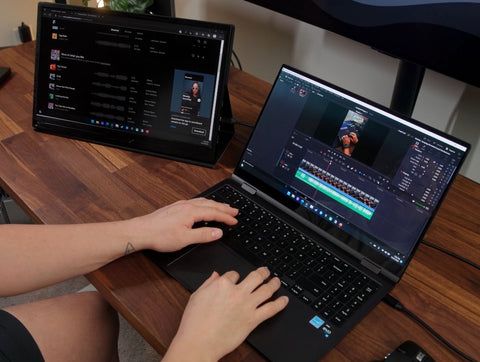
Benefits of USB-C connectivity include:
- Single-cable convenience.
- Faster setup.
- Broad compatibility.
- Reduced desk clutter.
- Reliable power delivery.
- Improved portability.
Before purchasing, verify that your laptop or tablet supports DisplayPort over USB-C for full functionality.
Why Lightweight Monitors Are Ideal for Travel
Weight is an important consideration for professionals who travel frequently.
A high-quality lightweight monitor typically weighs between 1.3 and 2 pounds (0.6–0.9 kg), making it easy to carry alongside a laptop without significantly increasing baggage weight.
Travel-friendly features include:
- Slim profile.
- Protective folding case.
- Scratch-resistant display.
- Durable aluminum construction.
- Energy-efficient design.
These characteristics allow professionals to maintain productivity without compromising mobility.
Best Features to Look for in a Portable Business Monitor
Not every portable business monitor offers the same level of performance. Choosing the right model depends on your work requirements and travel habits.
Important features to prioritize include:
- Full HD or higher resolution.
- IPS display for wide viewing angles.
- USB-C and HDMI connectivity.
- Adjustable brightness.
- Integrated speakers.
- Protective smart cover.
- VESA mount compatibility.
- Low blue-light mode.
Selecting the right specifications ensures long-term usability and comfort during extended work sessions.
Productivity Accessories That Complete Your Workspace
A portable display works best when paired with complementary productivity accessories.
Adding a few lightweight tools creates a comfortable mobile office that rivals a traditional workstation.
Useful accessories include:
- Wireless keyboard.
- Bluetooth mouse.
- Laptop stand.
- USB-C hub.
- Portable power bank.
- Noise-canceling headphones.
- Compact webcam.
These additions help remote professionals maintain consistent performance from virtually any location.
Building the Perfect Remote Work Setup
A successful remote work setup involves more than simply opening a laptop.
Portable monitors enable professionals to create ergonomic workstations whether they’re working from home, airports, hotel rooms, or coworking spaces. Combined with reliable internet access and ergonomic accessories, they support longer work sessions with greater comfort.
A well-organized setup also improves concentration, communication, and task management while reducing digital fatigue.
Office Gadgets That Increase Everyday Efficiency
Alongside a portable monitor, several modern office gadgets can further improve workflow.
Professionals often pair their monitor with compact technology designed specifically for mobile productivity.
Popular office gadgets include:
- Wireless presentation clickers.
- Multi-port USB adapters.
- Foldable laptop stands.
- Compact docking stations.
- Wireless charging pads.
- Smart notebooks.
These portable tools allow professionals to recreate an efficient office environment almost anywhere in the world.
Choosing the Right Portable Monitor
Before making a purchase, evaluate how and where you’ll use the display most often.
Consider the following:
- Screen size (13–16 inches is ideal for travel).
- Resolution (Full HD or 4K).
- Weight and portability.
- Device compatibility.
- Touchscreen support if needed.
- Warranty and customer support.
Matching these factors with your work style ensures the best long-term value.
Frequently Asked Questions (FAQs)
1. What is a portable monitor?
A portable monitor is a lightweight external display that connects to laptops, tablets, or smartphones to provide additional screen space for improved productivity.
2. Is a portable monitor useful for remote work?
Yes. A portable monitor allows professionals to create a dual-screen setup, making multitasking, video conferencing, document editing, and project management much more efficient.
3. What is the advantage of a USB-C monitor?
A USB-C monitor often requires only one cable for power, video, and data transfer, making setup faster and reducing cable clutter.
4. Are portable business monitors suitable for travel?
Absolutely. Most portable business monitor models are lightweight, slim, and designed specifically for business travelers who need a second screen while working remotely.
5. What screen size is best for business travel?
Most professionals prefer displays between 13 and 16 inches because they offer an excellent balance between portability and usable workspace.
6. Can portable monitors improve productivity?
Yes. Using a second display reduces constant window switching, improves multitasking, and creates a more organized workflow, making portable monitors one of the most effective productivity accessories for remote professionals.
Conclusion
A high-quality portable monitor has become one of the most valuable investments for professionals who work remotely or travel frequently for business. Whether you’re building a flexible remote work setup, expanding your dual-screen setup, or enhancing productivity with a modern USB-C monitor, portable displays deliver the convenience and performance needed in today’s mobile work environment.
Combined with practical office gadgets and reliable productivity accessories, a portable business monitor transforms almost any location into a productive workspace. As hybrid work and international business travel continue to evolve, choosing the right portable display can improve efficiency, reduce workflow interruptions, and help you stay productive wherever your career takes you.