
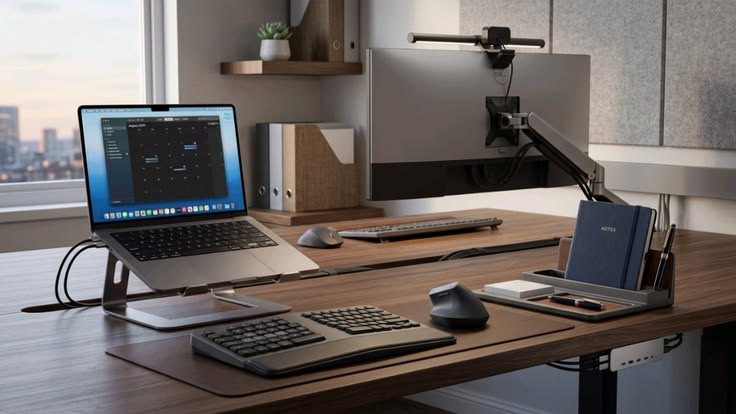
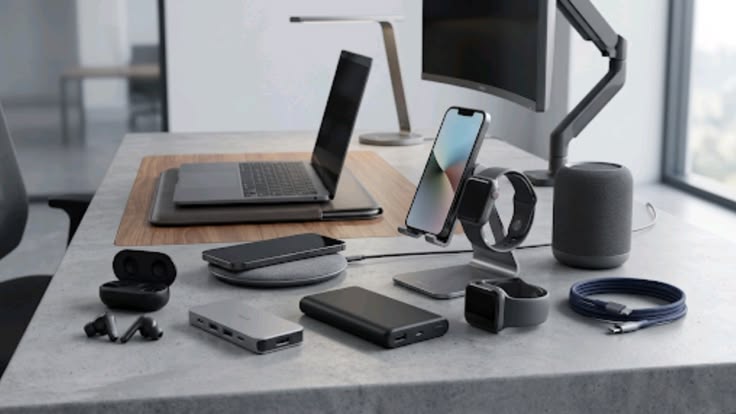
Today’s professionals rely on more than just a laptop and smartphone to stay productive. The right business tech accessories can improve connectivity, organisation, mobility and communication while making everyday work more efficient. Whether you’re working from a corporate office, travelling between meetings or managing a hybrid work from home setup, carefully selected technology accessories can make a noticeable difference.
From a compact USB-C hub to a reliable wireless mouse, modern office technology accessories are designed to solve practical workplace problems. The key is to choose equipment that complements your workflow rather than filling your desk with gadgets you rarely use.
Why Business Tech Accessories Matter
Professional work increasingly involves video meetings, cloud applications, presentations, external displays and multiple connected devices. A laptop may handle most of these tasks, but accessories can expand its capabilities and improve convenience.
The best business tech accessories should save time, reduce friction and support the way you actually work. For example, a docking station can turn a laptop into a desktop-style workstation, while external storage can provide additional space for large files and backups.
Before buying anything, consider:
- Your laptop’s available ports.
- Whether you work primarily at a desk or while travelling.
- The number of monitors and peripherals you use.
- Your storage requirements.
- How frequently you attend video calls.
- Whether you work across multiple locations.
USB-C Hub for Better Connectivity
A USB-C hub is one of the most useful accessories for professionals using modern laptops. Many thin laptops have reduced the number of physical ports, which can become inconvenient when you need to connect a monitor, USB device, memory card or wired network.
A suitable hub can combine several connections into one compact accessory.
Look for features such as:
- USB-A ports for older peripherals.
- Additional USB-C connectivity.
- HDMI or DisplayPort output.
- SD or microSD card slots.
- Ethernet connectivity where required.
- Power delivery for compatible laptops.
Check the specifications carefully because not every USB-C port supports the same data, charging or display capabilities.
Wireless Mouse for Comfortable Navigation
A wireless mouse remains a practical addition to a professional workstation. While laptop trackpads are increasingly capable, a dedicated mouse can provide more precise navigation during spreadsheet work, design tasks and long periods of computer use.
For business users, reliability and comfort are usually more important than gaming-oriented features.
Consider:
- Ergonomic shape.
- Adjustable or suitable sensitivity.
- Bluetooth or USB receiver connectivity.
- Rechargeable or replaceable battery.
- Quiet-click functionality.
- Compact design for travel.
A Bluetooth model can be especially convenient for professionals who frequently move between meeting rooms or work locations.
Laptop Stand for a Better Workspace
A laptop stand can improve desk organisation and help position the screen at a more comfortable viewing height. It becomes even more useful when paired with an external keyboard and mouse.
Instead of looking down at a laptop placed directly on the desk, raising the display allows you to create a more desktop-like arrangement.
When choosing a laptop stand, consider:
- Adjustable height and viewing angle.
- Stability.
- Laptop size compatibility.
- Foldability for travel.
- Ventilation around the device.
- Available desk space.
For professionals who alternate between home and office locations, a lightweight foldable stand can be particularly practical.
External Storage for Business Files
Professionals working with presentations, videos, photographs, design files and large documents may benefit from external storage.
External SSDs are generally faster and more portable than traditional external hard drives, although capacity and price vary. They can be useful for transferring large files, maintaining additional copies and keeping your laptop’s internal storage manageable.
Important factors include:
- Storage capacity.
- Transfer speed.
- USB connection standard.
- Physical durability.
- Compatibility with your devices.
- Encryption or security features when appropriate.
External storage should complement—not replace—a proper backup strategy. Important business files should ideally have more than one protected copy.
Docking Station for a Full Desktop Experience
A docking station is particularly valuable for professionals who use a laptop as their primary computer but want a permanent workstation.
Instead of reconnecting multiple peripherals individually every morning, you can connect the laptop to one central docking device.
A docking station can potentially connect:
- One or more external monitors.
- Keyboard and mouse.
- Ethernet.
- External storage.
- Audio equipment.
- Power.
- Other USB peripherals.
Before purchasing, verify laptop compatibility and the dock’s power-delivery and display capabilities. USB-C and Thunderbolt systems can have different capabilities, so specifications matter.
Business Gadgets for Frequent Travellers
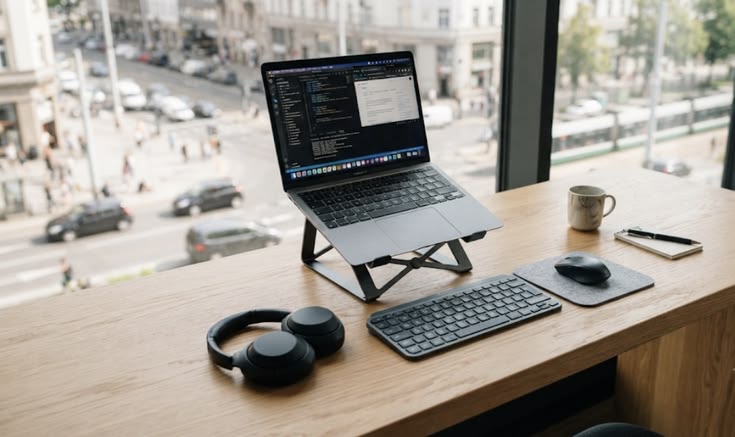
Professionals who travel for work need business gadgets that are compact, durable and easy to carry. Carrying every possible accessory can quickly make a laptop bag unnecessarily heavy.
Useful travel-oriented work accessories may include:
- Compact wireless mouse.
- Foldable laptop stand.
- USB-C hub.
- Multi-port charger.
- Portable SSD.
- Noise-isolating headphones.
- Cable organiser.
- Privacy screen.
The goal is to create a lightweight kit containing only the accessories you are likely to use.
Office Technology Accessories for Better Organisation
Technology becomes less useful when cables, chargers and peripherals create unnecessary clutter. Good organisation can make a workstation easier to manage and help you locate important accessories quickly.
Simple improvements include:
- Label frequently used cables.
- Use a cable organiser for chargers.
- Keep backup accessories together.
- Store portable drives securely.
- Avoid unnecessary adapters.
- Keep your primary workspace free from unused gadgets.
For hybrid professionals, having a dedicated tech pouch can also prevent essential accessories from being left behind when moving between locations.
How to Choose Business Tech Accessories on a Budget
You don’t need to purchase everything simultaneously. Prioritise accessories based on how frequently they solve a genuine problem.
High-Priority Accessories
Start with:
- USB-C hub if ports are limited.
- Wireless mouse for daily navigation.
- Laptop stand for a fixed workstation.
- Docking station if you regularly connect several devices.
- External storage if you manage large or important files.
Situational Accessories
Consider these according to your role:
- Webcam for frequent video meetings.
- Portable SSD for large files.
- Privacy screen for public working spaces.
- Travel charger for frequent business trips.
- Headphones for shared offices.
This approach keeps spending focused on productivity rather than novelty.
FAQs About Business Tech Accessories
1. What are the most useful business tech accessories?
A USB-C hub, wireless mouse, laptop stand, docking station and reliable external storage are among the most practical accessories for many professionals.
2. Is a USB-C hub necessary for business laptops?
It can be useful if your laptop has limited ports and you regularly connect displays, USB devices, storage or other peripherals.
3. Should professionals buy a laptop stand?
Yes, particularly for people who work at a desk for extended periods. Pairing a stand with an external keyboard and mouse can create a more flexible workstation.
4. Is an external webcam better than a laptop camera?
It can offer better positioning and potentially improved image quality, making it useful for professionals who frequently attend video meetings.
5. What is the difference between a USB-C hub and a docking station?
A USB-C hub is generally more compact and provides additional ports, while a docking station is typically designed to connect a laptop to a broader range of permanent peripherals and displays.
Conclusion
The right business tech accessories can transform an ordinary laptop into a more capable and organised professional workstation. From a USB-C hub that solves connectivity problems to a laptop stand that improves workspace flexibility, each accessory should have a clear purpose.
For professionals in the UK, US, India and other markets increasingly working across offices, homes and travel locations, portable and compatible technology can be particularly valuable. Rather than buying every new gadget available, identify the biggest frustrations in your current workflow and invest there first.
Choose practical office technology accessories, prioritise compatibility and build your collection gradually. A carefully selected set of work accessories can improve productivity without creating unnecessary expense or clutter.
Ready to upgrade your professional workspace? Explore essential business technology accessories and build a smarter, more efficient setup.


